Table of Contents
Mailbox Configuration
Overview
- VeMail configuration must already be set up for this to function.
- Configure User Mailbox.
- Add Email Address.
- Add Email forwarding template.
Configure User Mailbox
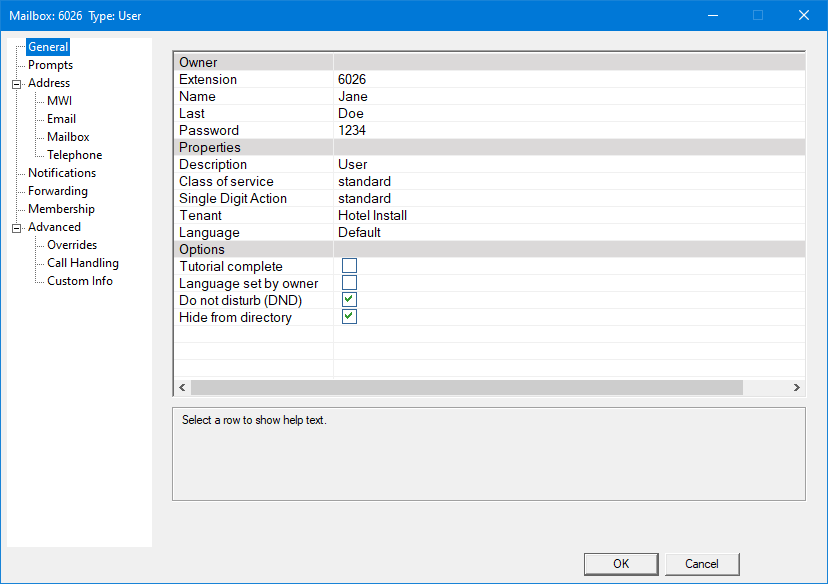
Open Mailbox Management
Note: The mailbox you wish to add this feature, must be a 'user' mailbox.
- Open DV2000 Manager
- Application on DuVoice server's desktop.
- Click 'mailbox'.
- Drop down menu at the top of the window.
- Click 'management'.
- Find or create your mailbox.
- Right click to add a new mailbox.
- Double click to edit existing mailbox.
Add Email Address
From the last step, click on the email tab.
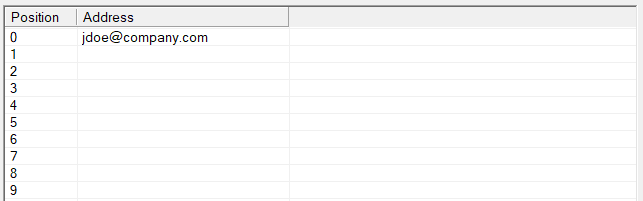
The Email address type is used for sending email messages, such as for email notification and for forwarding messages to email (that is, VeMail).
Your primary email address should be placed in position 0, as this is the address used by the predefined message delivery template for VeMail (that is, the Auto Forward to Email template). On the other hand, the default email notification template uses position 1. This is a notification only; the voice message is not attached to the email in this case.
Each address can be defined to contain multiple email addresses. This is done by adding a semi-colon after each address. For example, you could define the address Email 1 to be: addr1@xyz.com;addr2@xyz.com. Note that there are no spaces before or after the semi-colon. You can add as many addresses as you want to the address definition using this method, but the full definition string must not exceed 1024 characters in length (including the semi-colons).
Add Email Forwarding Template
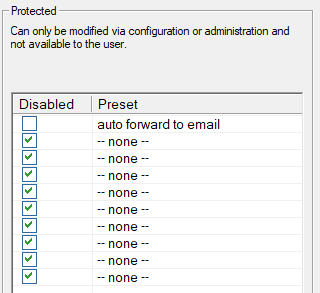
From the last step, click on the Forwarding tab.
Forwarding templates are used to forward copies of incoming messages to other mailboxes or email addresses.
One step in enabling the VeMail feature, for example, is to assign the Auto Forward to Email template to the mailbox. More than one template may be assigned to a given mailbox, and all of them will be processed for each message received.