DMG 1000 - Digital SIP Integration
PBX Configuration
Avaya
Station Programming
- Configure Avaya digital stations connected to the DMG with the set type 7434ND.
- On page 2 of the digital extension programming for the DMG:
- Disable LWC Reception.
- Enable LWC Activation.
- Enable Display Client Redirect.
Button Programming
| Button | Assignment |
|---|---|
| 1 | call-appr |
| 2 | call-appr |
| 9 | lwc-store |
| 10 | lwc-cancel |
Meridian
For each port connected to the DMG, configure the station in LD 11 using the following values.
| Parameter | Value |
|---|---|
| TN | Not specified in source |
| TYPE | 2616 |
| CDEN | 8D |
| CUST | 0 |
| FDN | Not specified in source |
| TGAR | 0 |
| LDN | NO |
| NCOS | 7 |
| RNPG | 0 |
| SCI | 0 |
| SSU | Not specified in source |
| CLS | FBD, WTA, MTD, FNA, HTA, ADD, HFD, MWA, CNDA, CPFD, CPTD |
| HUNT | XXXX |
| LHK | 0 |
Meridian Key Programming
| Key | Assignment | Description |
|---|---|---|
| 00 | SCR YYYY | Call Appearance |
| 07 | PROGRAM | Program |
| 13 | MIK | Message Indication |
| 14 | MCK | Message Cancellation |
| 15 | TRN | Transfer |
DMG 1000 Configuration
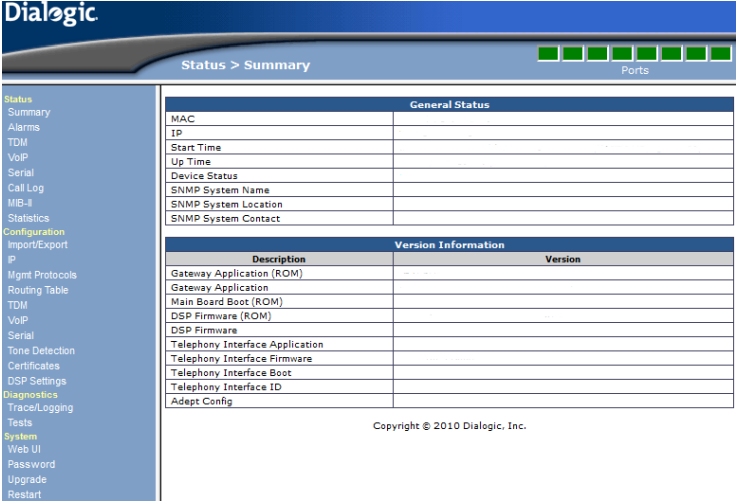
IP (Default)
Dialogic DMG gateways ship with a default IP address of 10.12.13.74. Change this IP address to match the existing network configuration.
To access the gateway initially, use either:
- A small router temporarily configured for the same subnet.
- A crossover cable connected to a computer configured for the same subnet.
| Default login | Value |
|---|---|
| IP address | 10.12.13.74 |
| Username | admin |
| Password (case-sensitive) | IpodAdmin |

Mgmt Protocols (Default)
No changes are needed:

Routing Table
Important: Failure to enter the routing IP address will prevent calls from the PBX from being routed to the DuVoice system.

Routing Table > VoIP Host Groups
- Open Routing Table > VoIP Host Groups on the DMG.
- Locate VoipGroup-1.
- Enter the IP address of the DuVoice system as a host under VoipGroup-1.

TDM > Digital
Choose the digital PBX integration that the DMG should emulate.

TDM > General
Avaya Definity
Leave Turn MWI On FAC and Turn MWI Off FAC blank.
Mitel
| Setting | Value |
|---|---|
| Turn MWI On FAC | #21 |
| Turn MWI Off FAC | #22 |
VoIP > General (Default)
No changes are specified in this section.

VoIP > Network Groups (Default)
No changes are specified in this section.

VoIP > Media
Voice Activity Detection
Set Voice Activity Detection to Off. This reduces clipping during audio recordings on calls with low dB levels.

VoIP > Authentication (Default)
No changes are specified in this section.

DuVoice Configuration
Lines
- Set the extension number for each line to match an extension associated with the DMG.
- When connecting to an Avaya PBX, set Port number for MWI use to Same.
- Set the hunt group field to the hunt group number.
- Do not select the Register field for any line.
SIP Configuration
- Set the Registrar address to the DMG IP address.
- Set the Register expire time to the value configured on the DMG under VoIP > General > Invite Expiration (sec). The default is 120 seconds.
MWI / DMG Routing
If using multiple DMGs configure the IPs corresponding to the ports. Generally the first gateway uses the first 8 ports. Second gateway will use ports 9-16, etc.
MWI
- Set the MWI method to SIP.
- In the MWI On and MWI Off templates, set Retries to at least 5.
- In the same templates, set Retry interval to 1 or higher.
Testing
DMG Testing
The DMG can test all channels, including integration, MWI, and transfers. These tests are found under Diagnostics.
Test Channels
Navigation: Diagnostics > Tests > TDM Self Test
- Enter the extension numbers in the provided fields.
- Click Start Test.
- Review the result indicators:
- A green P means the test passed.
- A red F means the test failed.
Test MWI
The DMG can test setting and clearing MWI to confirm PBX message-light configuration.
Navigation: Diagnostics > Tests > TDM
- Choose Send Message.
- Enter the station number in Destination Number.
- Choose Set or Clear.
- Click Start Test.